M6 Mac mini Protective SSD Dock: Combining Enclosure Protection, Storage and Connectivity
Explore an M6 Mac mini protective SSD dock concept combining enclosure protection, M.2 NVMe storage, additional connectivity, thermal design and integrated manufacturing.
On August 25, 2026, Apple announced the new Mac mini featuring the M6 chip. The new model is available for pre-order and is scheduled to begin arriving to customers and Apple Store locations on September 22, 2026.
Performance continues to improve, but increasing internal storage remains relatively expensive. On Apple’s U.S. store, upgrading an M6 Mac mini from 256GB to 512GB adds $200, while moving from 256GB to 1TB adds $500.
For accessory brands, this creates an interesting product opportunity.
Instead of treating protection, storage expansion and connectivity as three separate accessories, they could be designed as one integrated product.
The concept is an M6 Mac mini protective SSD dock that partially or fully surrounds the computer while integrating an M.2 NVMe SSD enclosure and additional connectivity into the same structure.
Unlike a conventional dock that simply sits underneath the Mac mini, the enclosure itself becomes part of the product.
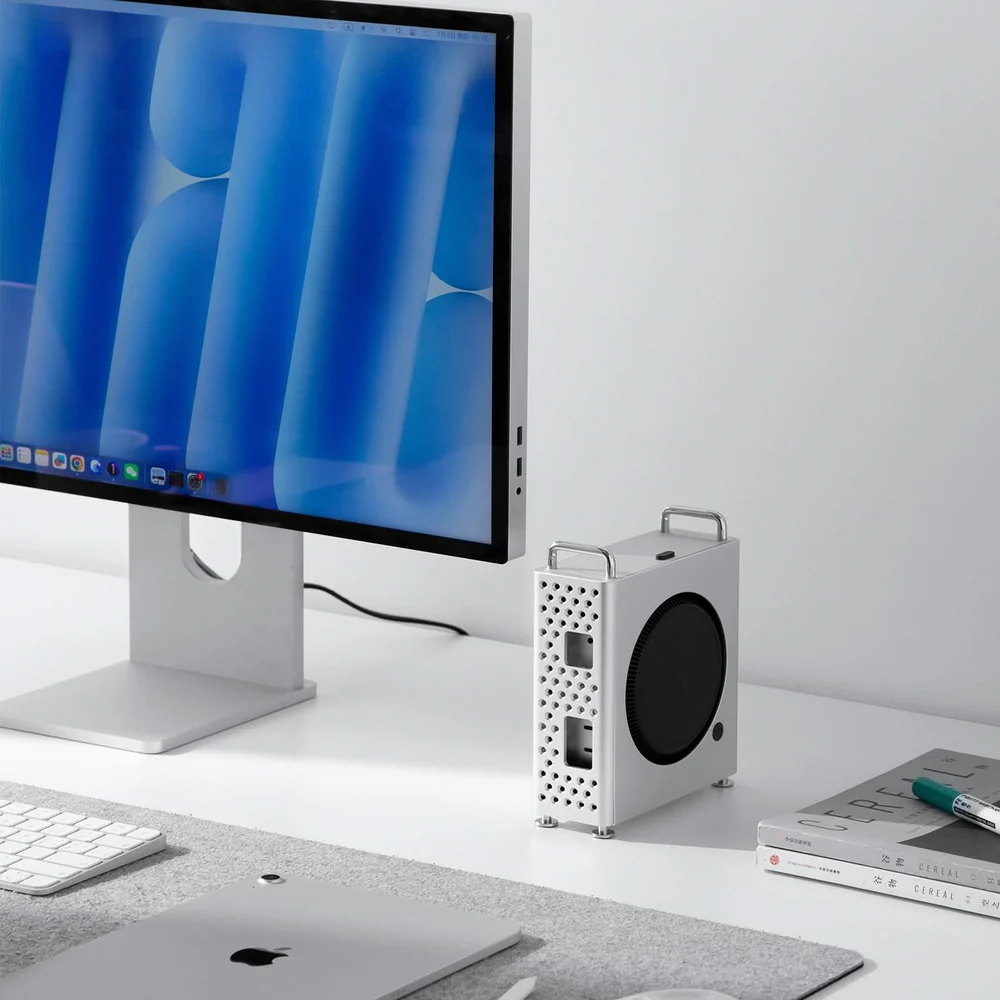
Existing protective dock-case products for the M4-generation Mac mini illustrate how the computer can sit inside an external structure rather than simply being placed on top of a hub.
More Than a Dock Under the Mac mini
Many existing Mac mini docks follow a familiar format: a thin hub sits underneath the computer and adds several ports or an SSD enclosure.
That approach is useful, but it does not significantly change the physical protection of the Mac mini itself.
A protective SSD dock could take a different approach.
The Mac mini could sit securely inside an aluminum or engineered-plastic outer frame, with soft protective contact surfaces between the computer and enclosure. The structure could help reduce scratches and minor bumps while keeping the original ports accessible.
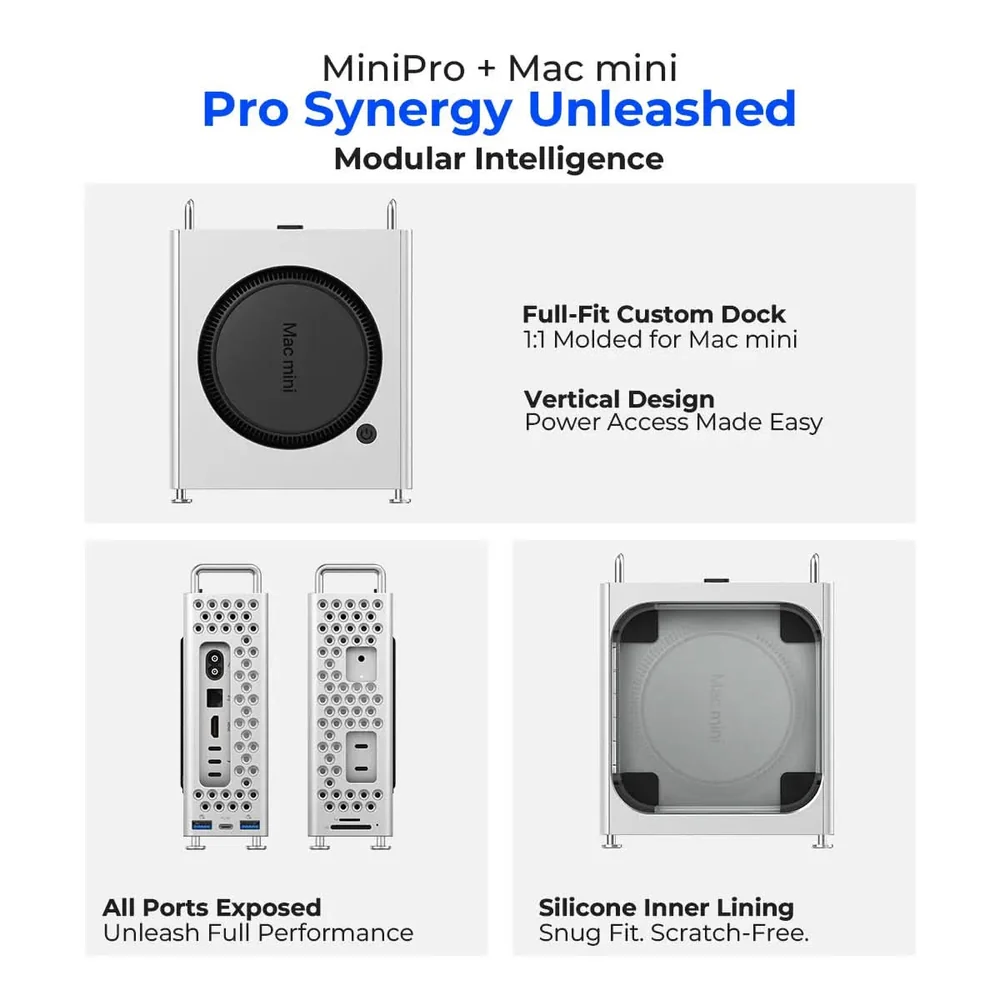
Instead of placing the NVMe SSD enclosure in a completely separate accessory, the M.2 drive, hub electronics and additional connectors could be integrated directly into the surrounding structure.
USB-C, USB-A, SD, microSD and other commonly used interfaces could then be positioned on the front or sides of the enclosure where they are easier to reach.
Users would gain additional storage without replacing or modifying the Mac mini’s internal SSD, while the enclosure could simultaneously organize the computer, external storage and connectivity into a single desktop product.
Existing M4 Accessories Show the Direction
Products already developed for the M4-generation Mac mini provide a useful reference for this concept.
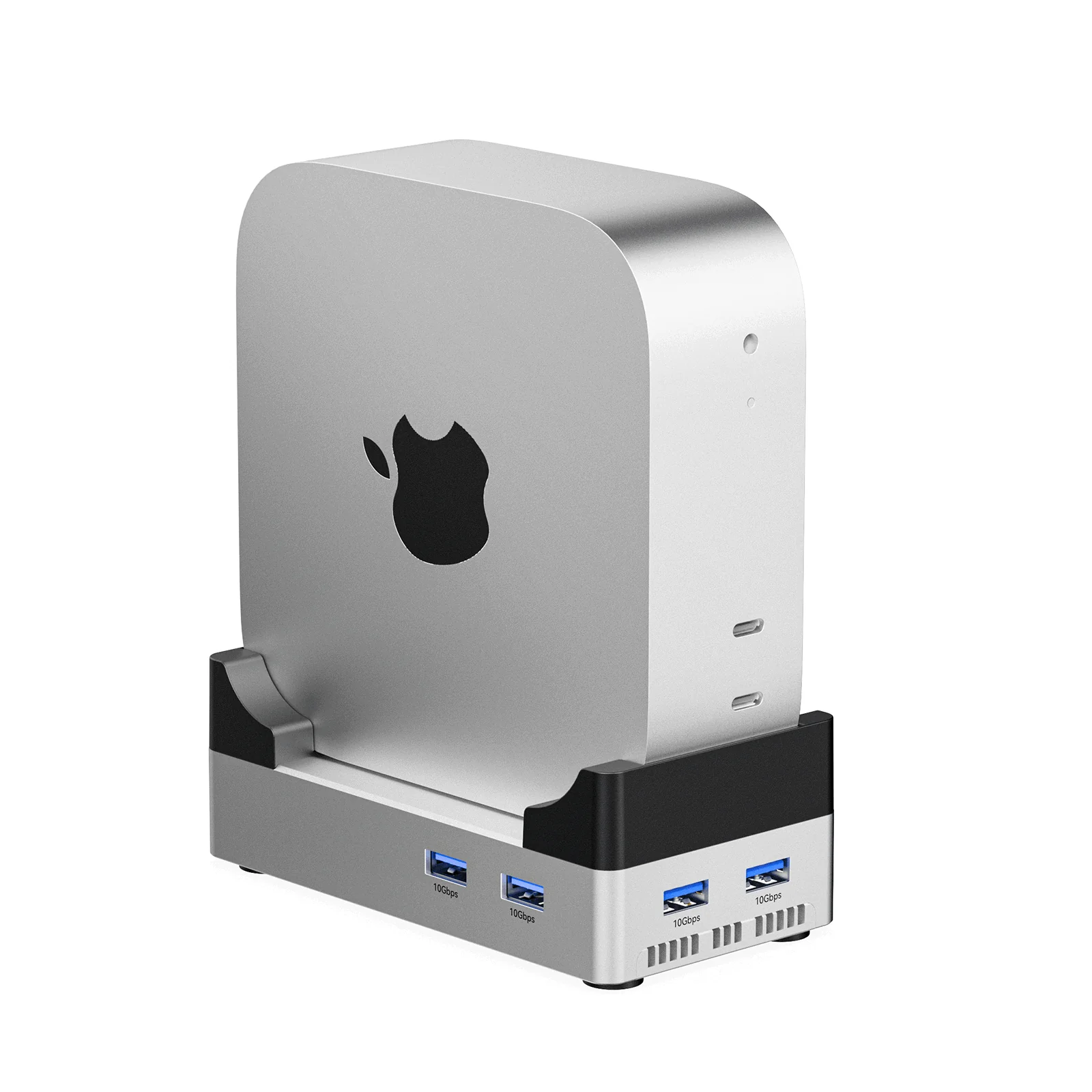
Some designs place the Mac mini inside a vertical aluminum frame rather than simply resting it on a flat dock. The surrounding structure leaves the original connectors exposed while adding additional interfaces and SSD expansion.
Other protective cases focus almost entirely on the enclosure itself, wrapping around the Mac mini while maintaining openings around ports and ventilation areas.
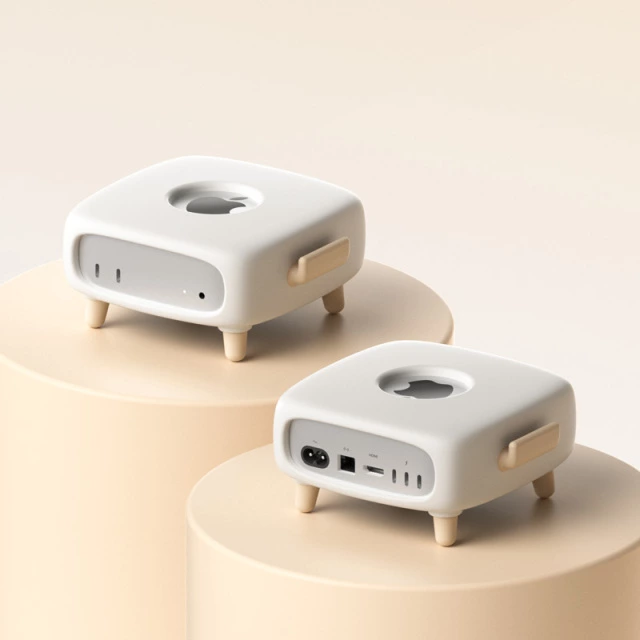
Protective Mac mini cases demonstrate another part of the design problem: covering more of the computer without blocking connectors or restricting airflow.
These existing products are particularly relevant because the M4 and M6 Mac mini share the same approximately 12.7 × 12.7 × 5.0 cm external dimensions.
That does not automatically mean every M4 accessory should be treated as compatible with the M6. Connector clearances, tolerances, ventilation and other details still need to be verified.
However, the existing M4 accessory market provides a useful starting point for thinking about a new generation of M6 protective docks.
Protection Cannot Interfere with Mac mini Cooling
Making the enclosure more protective also creates an important engineering challenge.
The Mac mini cannot simply be sealed inside another metal box.
Its original airflow needs to remain unobstructed.
A protective enclosure therefore has to maintain sufficient clearance around the Mac mini’s ventilation system while also dealing with heat generated by the external NVMe SSD and hub electronics.
This means enclosure protection and thermal management need to be developed together.
An aluminum frame can provide structural rigidity while also acting as a heat-spreading surface. Thermal pads may be used to transfer heat away from an NVMe SSD controller, while ventilation openings or internal air gaps can help prevent heat from accumulating around the Mac mini.
The design also needs to avoid placing structural components directly in front of intake or exhaust areas.
This is one of the main differences between designing a simple protective shell and developing a complete protective SSD dock.
The outer structure has to protect the computer without undermining the thermal design of the computer inside it.
The Enclosure Becomes Part of the Engineering
With this type of product, the enclosure is no longer only cosmetic.
It becomes part of the mechanical, thermal and electronic architecture.
The design has to determine how the Mac mini slides or fits into the enclosure, where protective contact surfaces should be located, how the device can be removed, and how the original ports remain accessible.
The position of the internal PCB then has to correspond with the external connector openings.
The M.2 NVMe SSD needs its own installation space and service access.
If the user is expected to install or replace the SSD, the enclosure should allow this without requiring the entire product to be disassembled.
At the same time, tolerances become important.
A fit that is too loose reduces the protective value of the enclosure, while a structure that is too tight may scratch the Mac mini or make installation difficult.
This is why the mechanical enclosure, electronics and final assembly sequence should ideally be reviewed together rather than being developed as unrelated components.
Integrating M.2 NVMe Storage
Storage expansion is one of the most useful functions that can be integrated into this type of enclosure.
Instead of paying for a larger internal Mac mini configuration, users could install an M.2 NVMe SSD into the dock and use it as external high-capacity storage.
The drive could be positioned inside the side, rear or lower section of the protective structure depending on the industrial design.
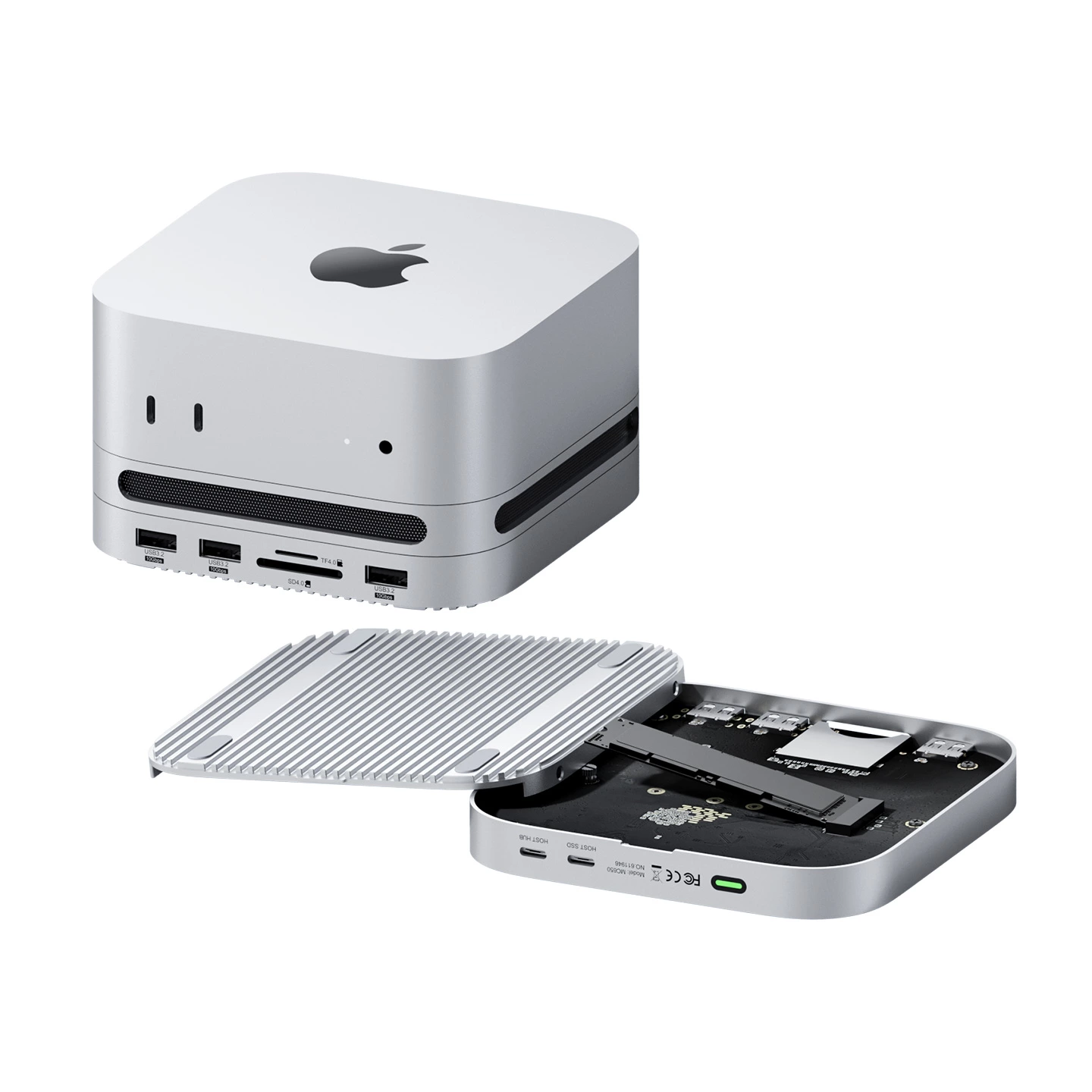
However, simply providing an M.2 connector is not enough.
NVMe drives can generate significant heat during sustained transfers, particularly around the controller.
The internal architecture therefore needs to consider the SSD PCB location, thermal pad contact, aluminum heat-spreading surfaces and airflow.
The SSD should also remain reasonably accessible for installation or replacement.
For a consumer product, this can influence everything from screw placement and removable panels to the final assembly sequence.
From a Basic SSD Version to USB4
A protective Mac mini enclosure does not necessarily need to become only one product.
The same external design platform could support several versions.
A basic version might primarily provide physical protection and M.2 NVMe storage expansion.
A second version could add USB-A, USB-C, SD and microSD interfaces.
A higher-performance model could use a USB4 architecture, allowing the SSD and other high-speed peripherals to operate with substantially greater bandwidth.
This creates the possibility of developing a product family rather than a single accessory.
The exterior enclosure, protective structure and some mechanical components could remain similar across the range, while the internal PCB and interface configuration change according to the target price and performance level.
For an accessory brand, this can make it easier to serve different market segments without redesigning every mechanical component from the beginning.
A Protective Dock Needs More Than Good Industrial Design
From the outside, a product like this may appear to be a relatively simple Mac mini accessory.
Internally, however, several engineering disciplines have to work together.
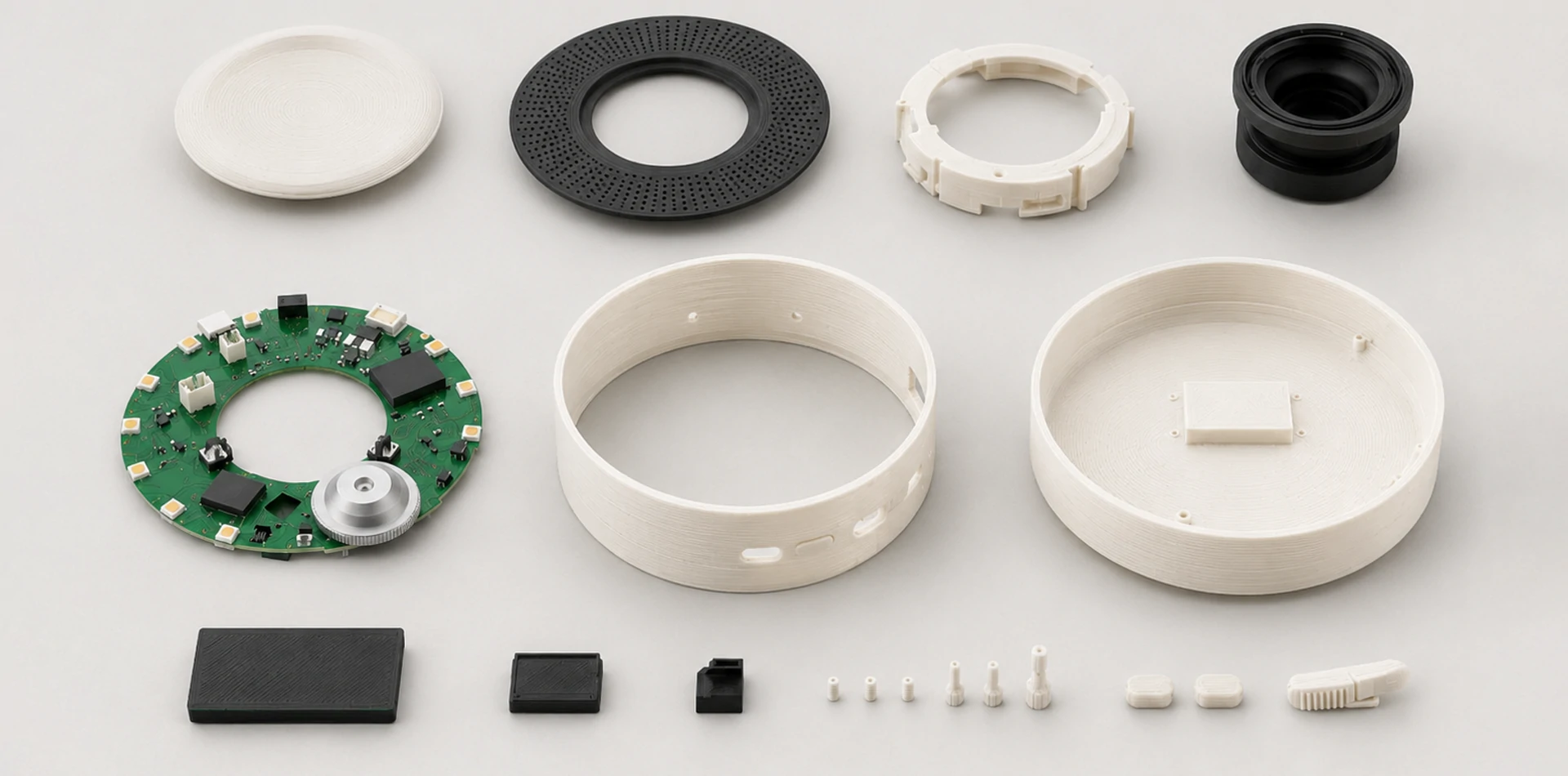
The enclosure may involve CNC-machined aluminum, sheet-metal components, injection-molded plastic parts, elastomer pads or a combination of different materials.
The electronics may include a USB hub controller, USB4 architecture, power-management components, card-reader circuitry and an M.2 NVMe interface.
High-speed interfaces introduce PCB layout and signal-integrity considerations.
The SSD and electronic components introduce additional thermal requirements.
Connector openings need to align correctly with the PCBA.
The protective structure has to hold the Mac mini securely without damaging its aluminum enclosure.
And the complete product still needs to be practical to assemble, test and service.
That is why a protective Mac mini SSD dock is more than a USB hub placed inside a different enclosure.
It is a compact system-level product.
Designing Around the User Experience
The protective structure can also create opportunities beyond basic durability.
For example, the Mac mini could be positioned vertically to reduce desk footprint, or the enclosure could be designed horizontally while providing easier access to additional ports.
The power button, headphone jack, USB-C ports, HDMI, Ethernet and Thunderbolt connections all need to remain convenient to use.
The SSD installation process should also be considered from the user’s perspective.
If the enclosure requires ten screws to replace an SSD, the design may be mechanically secure but inconvenient.
Likewise, an enclosure that provides excellent protection but makes the rear connectors difficult to reach has solved one problem while creating another.
A successful product therefore needs to balance protection, cooling, connectivity, storage access and appearance.
Developing a Protective Mac mini SSD Dock with Tongyong Industries
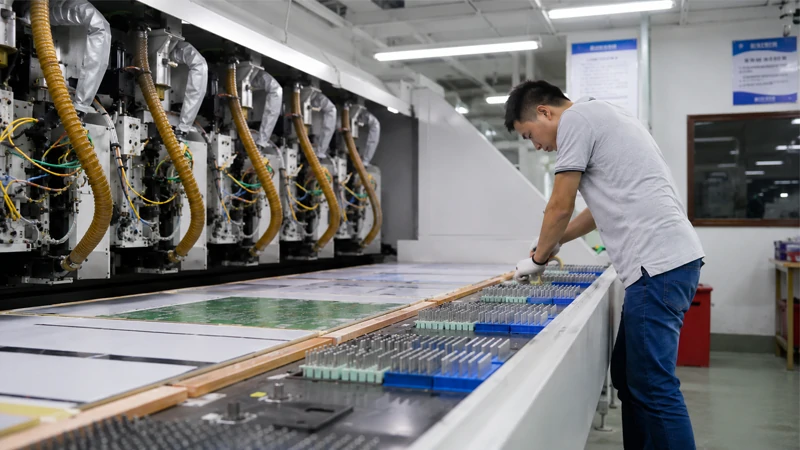
For brands interested in developing this type of product, Tongyong Industries can support the project from enclosure engineering and electronics manufacturing through final integration and production.
Depending on the required product positioning, development could include aluminum or plastic enclosure manufacturing, protective internal structures, PCB and PCBA production, M.2 NVMe integration, USB hub or USB4 implementation, connector integration and thermal design.
The final product can then move through assembly and functional testing as a complete system.
This integrated approach is particularly useful for compact electronics.
A small change to the enclosure can affect PCB placement, connector alignment, SSD installation and airflow. Likewise, changing the electronic architecture may require corresponding changes to the mechanical design.
Reviewing these elements together earlier in development can reduce unnecessary redesign between prototype and production.
The new M6 Mac mini therefore creates more than another opportunity for a conventional desktop hub.
It opens the possibility for a more integrated accessory: a protective outer enclosure that becomes part of the Mac mini’s storage, connectivity and desktop system itself.